The Art Of Woodworking, books online.
Wood screws and pilot hole sizes
http://saltinio13.lt/category/dirbtuves/
Wednesday, May 18, 2016

Friday, March 11, 2016
Thursday, March 3, 2016
PowerBuilder - Find windows where datawindow is used
If You have a listo of datawindows and would like to make a list of windows where each of these datawindows are used, this Power-Shell function might help.
By tweaking it You could search for whatewher You need, but basic concept is below.[Console]::OutputEncoding = [System.Text.Encoding]::UTF8
$windowTitles = "windowsTitles.txt"
New-Item $windowTitles -type file -force
function search ([string]$fullName) {
$shortName = [io.path]::GetFileNameWithoutExtension($fullName)
$files = gci -include *.srw,*.sru,*.srd -recurse | select-string $shortName | group path | select name
$found = 0
if ($files.Count -eq 0) { return 0 }
foreach ($file in $files)
{
$shortName2 = [io.path]::GetFileNameWithoutExtension($file.Name) if ($shortName -eq $shortName2) { continue }
$found = $found + 1
Write-Host "Used in: " $shortName2
If ($file.Name.EndsWith(".srw")) {
Write-Host "Used in: " $shortName2 " and its a WINDOW!"
$titleString = Get-Content $file.Name | select-string -pattern "string title = "
if (-not $titleString) {
Write-Host "Window has no title"
Return 1
}
Write-Host "Windows title is:" $titleString
$title = $titleString.line.replace("string title = ","")
# write title to file
Add-Content -Encoding UTF8 $windowTitles $title
Return 1
} Else {
Return search($file.Name)
}
}
Return $found
}
Use it something like this ( is same PS1 file for example ) :
 $files = gci -include *.srd -recurse | Where-Object {$_.FullName -like "*\$folder\*"} | select-string '!!!!ADD YOUR REGEX HERE!!!' | group path | select name
 Write-Host "Found number of datawindows:"
 Write-Host $files.Count
 $index = 0
 foreach ($file in $files)
 {
  if (-Not $file.Name) {break}
    $dwShortName =  [io.path]::GetFileNameWithoutExtension($file.Name)
  Write-Host "Searching for: " $dwShortName
    $found = search($file.Name)
   }
Tuesday, March 1, 2016
Monday, December 30, 2013
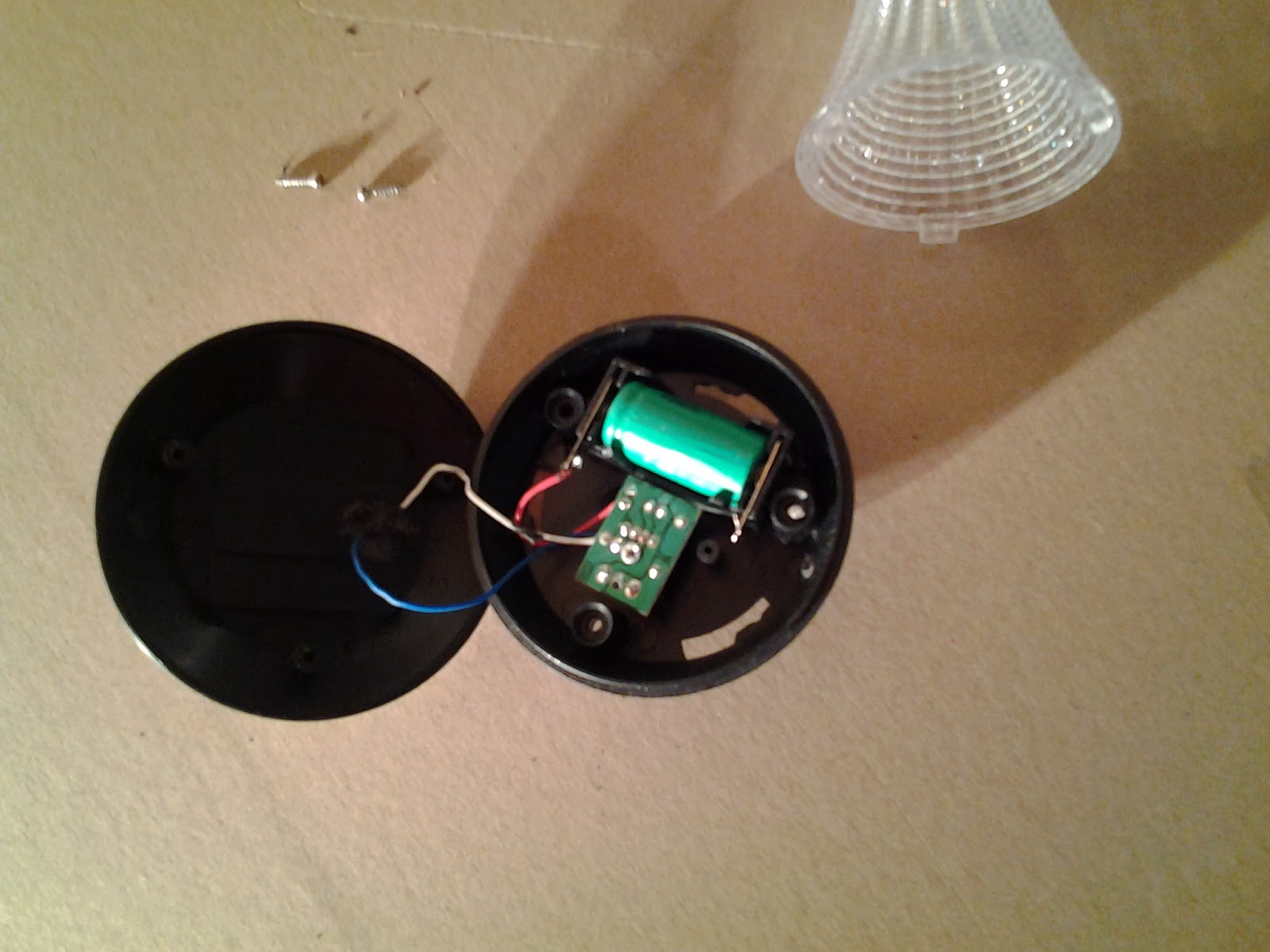
Garden solar light teardown
Bought 3 cheap garden solar lights, each < 1.00 Eur just to see how do they work. One did not work from the start. Another stopped working after a weak. Third worked well during all summer.
One had: circuit with a chip marked 5252F 1109, Ni-MH battery 2/3AA 300mAh 1.2V. Another with YX8018 0157 chip, Ni-MH battery 2/3 AAA 300mAh 1.2V.
Some Googling for those chips leads to these similar circuits:


Lamps by them self, nothing special to disassemble, just few photos:



Thursday, December 26, 2013
Usefull free software
Avast antivirus
http://www.avast.com/index
Super Anti Spyware
http://www.superantispyware.com/
Microsoft AppLocale Utility - Microsoft AppLocale is a utility that allows Unicode (UTF-16) based Windows XP and 2003 users to run non-Unicode legacy (code-page based) applications without changing the current system locale. AppLocale automatically detects language for non-Unicode program and simulates a corresponding system locale for code-page to/from Unicode conversions.
Download
Sandboxie
http://www.sandboxie.com/
http://www.avast.com/index
Super Anti Spyware
http://www.superantispyware.com/
Microsoft AppLocale Utility - Microsoft AppLocale is a utility that allows Unicode (UTF-16) based Windows XP and 2003 users to run non-Unicode legacy (code-page based) applications without changing the current system locale. AppLocale automatically detects language for non-Unicode program and simulates a corresponding system locale for code-page to/from Unicode conversions.
Download
Sandboxie
http://www.sandboxie.com/
Thursday, October 3, 2013
Debugging Oracle PL/SQL procedures using SQL Developer
1. Start SQL Developer and connect to DBMS.
2. Grant:
GRANT DEBUG CONNECT SESSION TO some_user;
GRANT DEBUG ANY PROCEDURE TO some_user;
3. Start remote debug, enter Port and IP address which is accessible from DBMS.
4. Execute "execute DBMS_DEBUG_JDWP.CONNECT_TCP('your ip',4000);".
5. Select procedure, add breakpoint, compile for debug.
6. debug procedure (ctrl+shif+f10), enter IP if needed.
2. Grant:
GRANT DEBUG CONNECT SESSION TO some_user;
GRANT DEBUG ANY PROCEDURE TO some_user;
3. Start remote debug, enter Port and IP address which is accessible from DBMS.
4. Execute "execute DBMS_DEBUG_JDWP.CONNECT_TCP('your ip',4000);".
5. Select procedure, add breakpoint, compile for debug.
6. debug procedure (ctrl+shif+f10), enter IP if needed.
Subscribe to:
Posts (Atom)